How to Speak to a Camera: Corporate Greetings on a Teleprompter
Recording corporate greetings or a year-end summary? Learn how to speak to a camera with a teleprompter to sound natural. Read about exercises and mistakes.
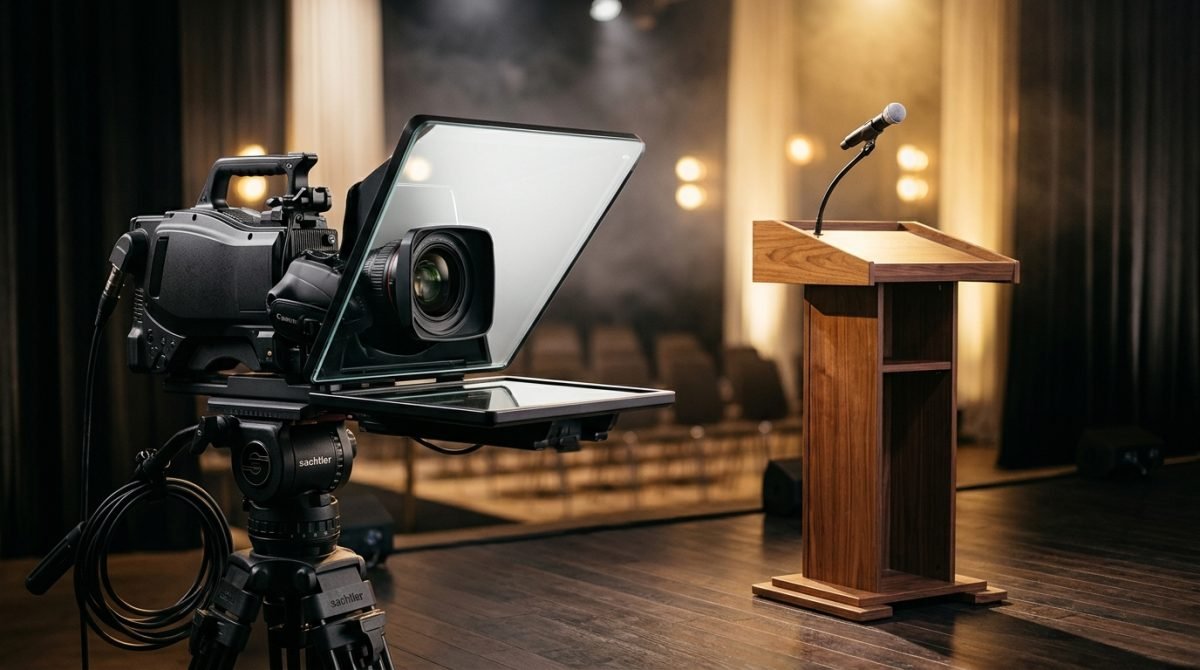
Sunday afternoon, autumn outside the window, and corporate calendars for the coming weeks are already filling up with recordings of holiday greetings and year-end summaries for the board of directors. The answer to the question of how to speak to a camera in such situations comes down to one thing: you must master the text and your breath so that technology does not take away your naturalness.
Before you stand in front of people
I see this often on set. A person who manages a team perfectly on a daily basis walks in, stands in front of the lens, and suddenly stiffens. The reason is rarely the camera itself. Most often, it is the text, which was written to be read silently, not spoken aloud. When you write a summary of results, you tend to use industry jargon. On paper, it looks professional, but in your mouth, it sounds artificial. Before you even think about recording, you must prepare the material.
- Shorten your sentences, because one thought is one sentence, and a period gives you time to take a breath.
- Throw out words you do not use in everyday conversation.
- Read the text aloud and mark the places where you run out of air to insert a pause there.
- Divide the whole thing into logical blocks, for example, an introduction, three key data points, and plans for the next quarter.
- Give up long enumerations, which blend into one monotonous string in front of the camera.
A well-prepared text is half the work. When the words sit comfortably in your mouth, your body automatically relaxes. Your diaphragm starts working steadily, and your voice settles lower. Change complicated structures into a simple message. You will feel the difference immediately.
Step by step: how to speak to a camera with a teleprompter
Working with text displayed on the glass in front of the lens requires a specific approach. Reading from a teleprompter is a skill built through sentence stress, pauses, and interpretation. Only then do you sound like yourself. On the screen, the text flows at a constant pace, but you are the one who gives it rhythm.
The first step is taming your gaze. Your eyes must look into the axis of the lens, which is exactly the center of the glass. When the text scrolls up, the natural tendency is to follow it with your eyes line by line. This is a mistake that looks like nervous eye darting on the recording. Anchor your gaze to the center of the line and let the text enter your field of vision on its own. The distance from the lens is crucial here. The optimal distance is about two to three meters from the camera. Then the viewing angle allows you to take in the entire width of the text without moving your head.
The second element is pace. The teleprompter can be slowed down or sped up, but you are the one driving the narrative. Pause after an important sentence. The director on set will stop the text and wait for you. A pause builds tension and gives the listener time to digest the information. Especially when presenting financial results, numbers need silence to resonate.
The third issue is posture. Stand on both legs, distributing your body weight evenly. When you shift your weight from leg to leg, you start to sway. In the frame, this movement is exaggerated and distracts from what you are saying. Keep an open chest, which will facilitate deep breathing from the diaphragm.
Training these elements at home provides a solid foundation. Honestly, though, working in a professional studio makes a difference. When you have three cameras, studio lighting, broadcast microphones, and a director on set around you, you learn to manage stress in real conditions. In my Warsaw studio, we record the material at the beginning, work on it sentence by sentence, and record it at the end. Iterations continue until it starts working out, and the participant takes their recordings for analysis.
Most common mistakes
During recordings of corporate greetings and presentations, I see recurring patterns that are easy to eliminate.
Not blinking is the first of them. Focusing on the scrolling text makes people forget to blink. The face becomes tense, and the eyes glaze over. The fix is simple. Blink naturally, especially at periods and during pauses, which signals relaxation.
The second mistake is reading everything in one tone. Monotony puts the viewer to sleep in a matter of seconds. The cure is conscious sentence stress. In every sentence, choose one word that carries the most important information and gently emphasize it with your voice. This changes the entire melody of the speech.
The third trap is being glued to the text. The speaker is afraid to take their eyes off the teleprompter even for a fraction of a second. As a result, they look like a reading machine. The solution lies in gentle head movements. You can shift your gaze slightly to the side for a second during a pause, only to return to the lens a moment later. This adds a human dimension.
The fourth mistake is dead hands. It happens that out of excessive focus, we drop our arms along our torso and hold them stiffly. The camera likes natural gestures. Keep your hands at waist level, let them work to the rhythm of what you are saying. Gesturing helps in naturally accentuating words.
How to practice this
The ability to work with a camera and text requires regularity. I have prepared a simple plan for the coming week that you can carry out at home.
On Monday and Tuesday, focus on the text itself. Download a free teleprompter app on your phone. Enter a short fragment of your greetings or presentation there. Set the phone at eye level and read aloud. Notice where you run out of breath and adjust the scrolling speed. Before each reading, do a simple breathing exercise. Inhale through your nose for four seconds, hold for two seconds, and exhale slowly through your mouth for six seconds. Repeat this five times. This physiologically lowers your heart rate and prepares your speech apparatus for work.
Wednesday and Thursday are the time for image analysis. Record yourself with your phone's front camera while reading the text from the app. Watch the recording without sound. See what your body is doing. Notice if you are swaying and if your eyes are nervously darting across the screen. With each subsequent recording, try to calm your movements.
On Friday, add sound. Watch your recordings and listen to the melody of your voice. Mark the words in the text that you want to accentuate. Make a conscious pause after the most important sentence. Record yourself again, focusing only on interpretation.
Working with a teleprompter is a craft. Good preparation means you stop fighting with technology and simply start talking to the person on the other side of the lens.
Questions and answers
Do I have to memorize the text if I have a teleprompter?
A teleprompter relieves you of the obligation to remember every word, but you must know the structure of your speech. Knowing the text allows you to focus on interpretation and natural eye contact, instead of mechanically reading letters.
Where should I look when reading from a teleprompter?
Your gaze should be directed exactly at the center of the lens, behind which the teleprompter glass is located. Avoid following the text with your eyes from the left to the right edge; try to read using the center of your field of vision.
How do I deal with a dry throat during a recording?
Before stepping onto the set, drink still water at room temperature in small sips. Avoid coffee and strong tea right before recording, as they dry out the mucous membrane and cause unpleasant smacking sounds.